Draw bubble maps for your thoughts
Bug fixes
Changes
Bug fixes
Bug fixes
Bug fixes
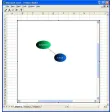
Think! Bubble Maps is a Windows desktop application to create and publish bubble maps. Features include:
With advanced zoom features, think! allows you to create bubble maps as they appear in print
to be used for TODO lists
Spelling preferences can be set from the Preference menu
Shapes can also be applied to Text Boxes
Free
A hassle-free PDF writer and virtual printer

Free
Professional user script manager

Free
WLan - The perfect set of drivers for 802.11n networks.
.png)
Free
Save time by just highlighting with your mouse

Free
Collaboration tools for Microsoft users

Multimedia conceptual maps

A mind-mapping tool with added planning functionalities

Visualize, think, organize and learn

iMindQ

Free tool for mind maps, diagrams and charts

Excellent mind mapping software

Quickly set up your own web shop

Advanced software platform to streamline the interviewing process
Devart ODBC Driver for Oracle - Speed Up Business & Productivity

Handle Spreadsheets with Editor for Excel
Convert all your documents in PDF
An alternative to Notepad

Business & Productivity

Excellent tool for creating online shops
Plotting utility

An offline computer application for Retailers to recharge and manage all required works and accounting in few steps.
A demo program for Windows, by Grijander Companies, LLC.

Alternative note pad







In Softonic we scan all the files hosted on our platform to assess and avoid any potential harm for your device. Our team performs checks each time a new file is uploaded and periodically reviews files to confirm or update their status. This comprehensive process allows us to set a status for any downloadable file as follows:
It’s extremely likely that this software program is clean.
We have scanned the file and URLs associated with this software program in more than 50 of the world's leading antivirus services; no possible threat has been detected.
This software program is potentially malicious or may contain unwanted bundled software.
Based on our scan system, we have determined that these flags are possibly false positives.
It means a benign program is wrongfully flagged as malicious due to an overly broad detection signature or algorithm used in an antivirus program.
It’s highly probable this software program is malicious or contains unwanted bundled software.
Based on our scan system, we have determined that these flags are likely to be real positives.




User reviews about Think! Bubble Maps
Have you tried Think! Bubble Maps? Be the first to leave your opinion!